Best RV Camera System
The word doing the work is system. One camera and a screen is a camera. A system is several cameras on one monitor, and only some products can become one.
Heads up: this page contains affiliate links. If you buy through one, Camp & Chock may earn a commission at no extra cost to you. It never changes which product we put first — how this site is funded.
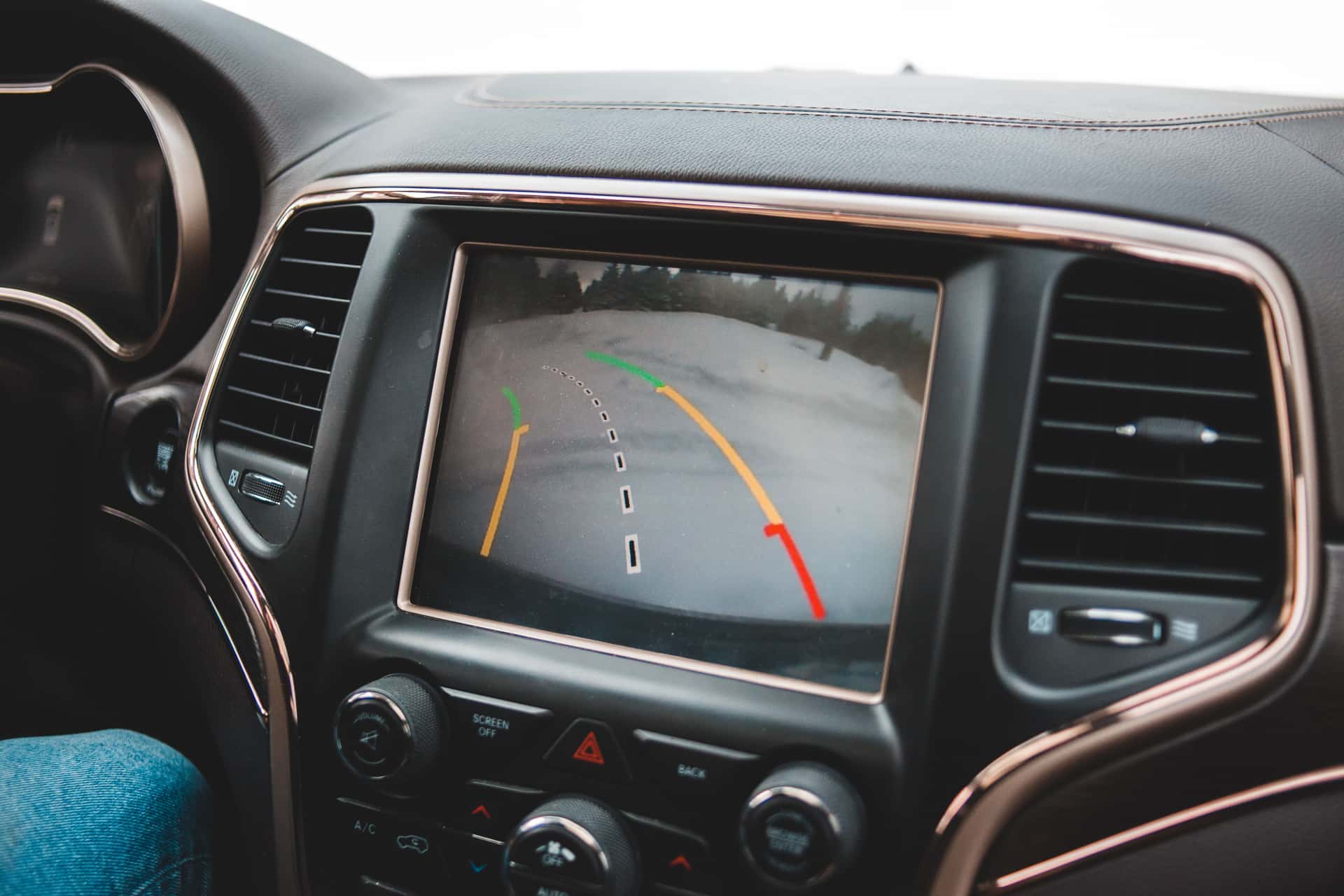
If you want a system rather than a single camera, buy the self-contained wireless kit with a seven-inch monitor and multi-camera support, because adding a second camera to it later is a designed feature rather than a workaround. If your trailer has a factory camera plate on the back and you only ever want one rear view, the matching plate camera is the easier purchase and you are not buying a system at all — you are buying a camera, which is fine, and cheaper.
Part of our towing and security guide. Our RV backup camera roundup answers which single camera to buy, and travel trailer backup cameras covers why a towed trailer is a harder case than a motorhome. This page is the narrower question people type when one camera is not what they had in mind.
What a camera system actually is
Sellers use “system” loosely. A box containing one camera and one monitor gets called a system because it contains more than one object. That is not what someone searching for an RV camera system means, and conflating the two is how people end up unable to add the side camera they assumed they could.
A genuine system has three properties:
More than one camera on one monitor. The monitor supports multiple channels and lets you switch between them or view them split. This is the defining feature, and it is a property of the monitor, not the camera.
Cameras you can add later. The pairing process is documented and the extra cameras are sold as accessories to that monitor. If the extra camera does not exist as a product, the system does not expand.
Independence from a vehicle plate. A plate-specific camera is designed around one mounting position on the back of a trailer. That is an elegant solution to one problem and the opposite of a system.
How many cameras does a travel trailer need?
Honestly, usually one. The case for more is real but narrower than the marketing suggests, and it is worth being clear about before you buy four channels you will not use.
What each camera position actually gives you
| Position | What it shows | Who needs it |
|---|---|---|
| Rear, high and center | What is behind the trailer, and the lane behind you while driving | Everyone. This is the one camera to have |
| Side, at the rear quarter | The blind spot a long trailer creates alongside the tow vehicle | Long trailers and fifth wheels, and anyone who changes lanes nervously |
| Low and center, at the bumper | The coupler and ball during hitching | People who hitch alone. A phone on a tripod also solves this |
| Interior | Pets, or cargo in a toy hauler | A genuine use, but a standalone pet camera does it better |
The honest ranking: the rear camera earns its money on the first trip. A side camera earns it on a long trailer in traffic and is a nice-to-have on a 22-foot one. A dedicated hitching camera is almost always unnecessary because the rear camera already shows you the coupler if you mounted it where you can see down. The interior camera is a different product in a different category.
The two routes, and only one of them expands
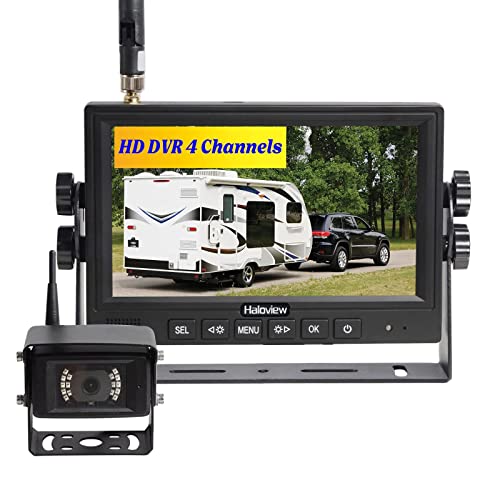
1. Best for Trailers with no factory mount
Haloview MC7108 Wireless Backup Camera System
The answer when your trailer has no factory camera plate: it works on anything, at the cost of mounting and powering it yourself.
- Specification
- Wireless system with a 7-inch monitor
- Specification
- Expandable to additional cameras
- Specification
- Independent of any factory plate
What it does well
- Works on any trailer, because it does not depend on a manufacturer's mounting plate
- A bigger monitor than most bundled systems, which matters when it sits on the dash in daylight
- Adding a second camera later is supported rather than a hack
The real tradeoff
- You are mounting and powering the camera yourself, which means drilling or a marker-light tap
- More setup decisions than the plug-in option
How it measures up
These are judgments from published specifications and what we see at the lodge, not laboratory results. How we choose.
- Beginner fit
- Good — The install is the hard part, not the use.
- Install effort
- Adequate — Mounting and power are on you.
- Picture in daylight
- Strong — The larger monitor is a real advantage.
- Value
- Good — Fair for a complete, non-proprietary system.
Specifications from Haloview.
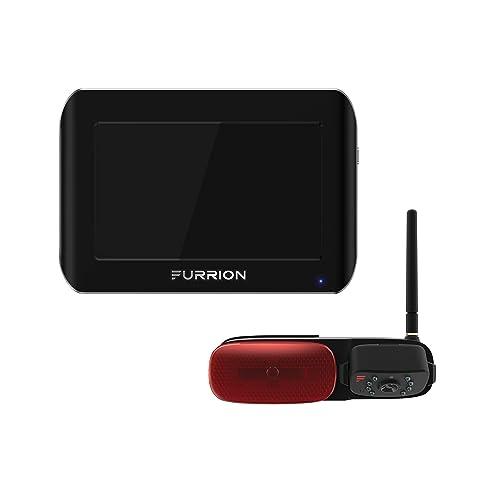
2. Best for Trailers with a factory Furrion mount
Furrion Vision S Wireless Backup Camera
If there is a black plate on the back of your trailer, this is the camera it was designed for, and fitting it is roughly a screwdriver job.
- Specification
- Wireless camera and monitor
- Specification
- Designed for the pre-wired Furrion mounting plate found on many trailers
- Specification
- Monitor mounts in the tow vehicle
What it does well
- If your trailer already has the black Furrion plate on the back, this is close to plug-and-play
- No cable to run the length of the trailer, which is the job that stops most people
- The pre-wired plate means power is already there
The real tradeoff
- Only a bargain if you have that plate. Otherwise you are paying for compatibility you cannot use
- Wireless range and interference vary. A long fifth-wheel is a harder case than a 22 ft trailer
How it measures up
These are judgments from published specifications and what we see at the lodge, not laboratory results. How we choose.
- Beginner fit
- Strong — With the plate, genuinely easy.
- Install effort
- Strong — No cable run and no drilling, if the plate is there.
- Picture in daylight
- Good — Clear enough for hitching and lane checks.
- Value
- Good — Strong with the plate, poor without it.
Specifications from Furrion.
System capability, head to head
| Self-contained wireless kit | Factory-plate camera | |
|---|---|---|
| Works without a factory plate | Yes - it does not depend on one | No - the plate is the whole proposition |
| Expandable to more cameras | Yes, supported rather than improvised | Designed around the single rear position |
| Monitor size | 7 inch, which reads better on a dash in daylight | Smaller on most bundles |
| Install effort | You mount and power the camera yourself | Roughly a screwdriver job, if the plate is there |
| Beginner fit | Good - the install is the hard part, not the use | Strong, with the plate |
If you have the factory plate, start there anyway
Walk to the back of your trailer and look for a black rectangular plate with a removable cover. If it is there, the trailer is pre-wired, and the plate camera is close to plug-and-play — no cable to run and power already present. That is a genuinely better experience for a first camera than anything you mount yourself.
The trade is that you have bought into one position and one rear view. If a year later you want a side camera, you are starting a second system rather than adding to the first. Whether that matters depends entirely on whether you were ever going to add one, and most people do not.
If you have no plate, buy the expandable kit
With no factory plate there is no shortcut: you are mounting a camera and finding it power, usually from a marker light tap. Given that you are doing the work anyway, buy the monitor that can take a second camera, because the incremental cost is small and the alternative is replacing the monitor later. The install itself is covered step by step in how to install a wireless RV backup camera.
The two to choose between
The expandable kit if you have no factory plate or you want more than one camera. The plate camera if the plate is there and one rear view is all you want.
Best for Trailers with no factory mount
Haloview MC7108 Wireless Backup Camera System
The answer when your trailer has no factory camera plate: it works on anything, at the cost of mounting and powering it yourself.
Best for Trailers with a factory Furrion mount
Furrion Vision S Wireless Backup Camera
If there is a black plate on the back of your trailer, this is the camera it was designed for, and fitting it is roughly a screwdriver job.
What to budget for beyond the box
A multi-camera setup has costs the listing does not mention, and they are worth knowing before you commit.
Power at every camera position. Wireless refers to the video, not the electricity. Each camera needs 12 volts where it is mounted, and the back of a trailer has a marker light and the sides have marker lights, which is the usual tap. Two cameras means two taps.
A monitor mount you can actually see. A seven-inch screen on a suction mount in the wrong place is worse than a smaller one in the right place. Plan where it goes in the cab before you order a size.
Mounting hardware for a side position. The rear of a trailer usually has somewhere flat and high. The side quarter often does not, and a bracket that holds a camera steady at highway speed is a separate purchase.
The simpler question, if this is your first camera
If you are buying your first camera and are not sure you need a system at all, you probably do not. Buy one rear camera, use it for a season, and find out whether you ever wish you had a side view. The thing to be careful about is buying a monitor that cannot grow, and that is the only real decision this page is asking you to make. Our wireless backup camera roundup is the right starting point, and rear view versus backup explains why a trailer camera is usually on all the time rather than only in reverse.
Questions people actually ask
What is the best RV camera system?
For a travel trailer with no factory camera plate, a self-contained wireless kit with a seven-inch monitor and documented multi-camera support, because adding a second camera to it is a designed feature rather than a workaround.
How many cameras do I need on an RV?
Usually one, mounted high and centered at the rear. A side camera at the rear quarter earns its place on a long trailer or fifth wheel in traffic. A dedicated hitching camera is normally unnecessary because the rear camera already shows the coupler.
What is the difference between a camera and a camera system?
A system puts more than one camera on one monitor and lets you add cameras later. That is a property of the monitor, not of the camera, so a box containing one camera and one screen is not a system even when it is sold as one.
Can I add a second camera to my RV backup camera later?
Only if the monitor supports multiple channels and the extra camera exists as an accessory for it. Plate-specific cameras are built around a single rear position, so adding a side view means starting a second setup.
Sources
Read next
Towing & Security
Best RV Security Camera for a Travel Trailer
Cellular, solar, battery and wired security cameras for a travel trailer, ranked by where the trailer actually sits - with honest limits on what a camera can do in a storage lot.
Towing & Security
Best RV Rear View Camera
Why a trailer camera is always-on, what that changes about latency, monitor placement and power, and which to buy.
Towing & Security
Best RV Backup Camera for a Travel Trailer
Backup cameras for a travel trailer, split by whether your rig has a pre-wired factory mount.
Towing & Security
Travel Trailer Backup Cameras: What Actually Works
Why a trailer camera is a different problem from a motorhome one, the factory plate check, and the two routes that work.
Towing & Security
How to Install a Wireless RV Backup Camera
Mounting and powering a wireless trailer camera, including the factory plate route and the marker light tap.
Reviewed October 11, 2026. Spot something out of date? Tell us and we will fix it.